win10 启用和关闭windows功能中没有Internet explorer 11的解决方法
作者:妄臣发布时间:
很多win10系统用户为了节省C盘空间想要卸载ie11。但是在操作到一半的时候发现启用和关闭windows功能中没有Internet explorer 11的选项了,那么遇见这种情况我们该如何解决呢?下面就随小编一起来学习一下win10 启用和关闭windows功能中没有Internet explorer 11的解决方法吧。

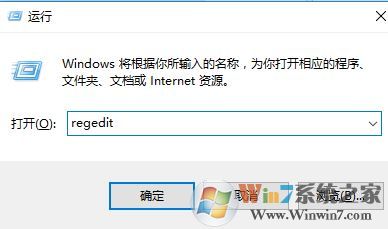
下面给大家分享下通过其他方法卸载ie11的操作方法:1、关闭所有的ie浏览器的窗口,以管理员身份运行powershell窗口(Win+X ,选择命令提示符(管理员));
 2、复制以下命令:FORFILES /P %WINDIR%\servicing\Packages /M Microsoft-Windows-InternetExplorer-*11.*.mum /c “cmd /c echo Uninstalling package @fname && start /w pkgmgr /upfname /norestart“ with /quiet switch FORFILES /P %WINDIR%\servicing\Packages /M Microsoft-Windows-InternetExplorer-*11.*.mum /c “cmd /c echo Uninstalling package @fname && start /w pkgmgr /upfname /quiet /norestart”
粘贴到命令提示符中,按下回车执行命令即可将ie11卸载!
总结:以上就是win10 启用和关闭windows功能中没有Internet explorer 11的解决方法了,希望大家都能顺利的卸载ie11.
下面给大家分享下通过其他方法卸载ie11的操作方法:1、关闭所有的ie浏览器的窗口,以管理员身份运行powershell窗口(Win+X ,选择命令提示符(管理员));
2、复制以下命令:FORFILES /P %WINDIR%\servicing\Packages /M Microsoft-Windows-InternetExplorer-*11.*.mum /c “cmd /c echo Uninstalling package @fname && start /w pkgmgr /upfname /norestart“ with /quiet switch FORFILES /P %WINDIR%\servicing\Packages /M Microsoft-Windows-InternetExplorer-*11.*.mum /c “cmd /c echo Uninstalling package @fname && start /w pkgmgr /upfname /quiet /norestart”粘贴到命令提示符中,按下回车执行命令即可将ie11卸载!
总结:以上就是win10 启用和关闭windows功能中没有Internet explorer 11的解决方法了,希望大家都能顺利的卸载ie11.

复制本文链接攻略文章为3DM游戏网所有,未经允许不得转载。

软件教程更多





相关资讯更多
- WPS表格日期生成方法
- 杯与酒2026-03-10 08:52:46
- WPS怎么关闭广告
- 花栀2026-03-10 08:52:46
- Charamin OMP使用教程
- 枝桠2026-03-10 08:52:45
- wps怎么删除空白页
- ぐ夏筱沐2026-03-10 08:52:45
- WPS文档的自动编号怎么取消
- 凉堇年♀2026-03-10 08:52:45

- WPS怎么合并PDF文件
- 情の殇2026-03-10 08:52:45
- WPS怎么设置加密
- 蓝玉2026-03-10 08:52:45

- Amazing Slideshow Maker怎么使用
- 思君2026-03-10 08:52:45

- GeoVid Video Avatar如何使用
- 花栀2026-03-10 08:52:45

- wps中怎么画思维导图
- 心蛊2026-03-10 08:52:45